
Last updated on January 9th, 2026 at 06:26 am
At AcceptedTogether, our mission has always been to make the admissions journey simple, more collaborative, accessible, and effective. Today, we’re excited to introduce a powerful new set of features designed to help students and consultants connect more meaningfully, practice more intentionally, and prepare more confidently.
Meet Find A Student: A New Way to Practice and Connect
The new Find A Student feature unlocks a student database that enables free, structured practice sessions and smarter matching, creating value for both students and consultants.
Whether you’re preparing for interviews, refining your narrative, or gaining real-world advising experience, these updates are designed with flexibility, fairness, and growth in mind.
What’s New and Why It Matters
Direct Consultant Outreach to Students
Consultants can now take a more proactive role in supporting applicants:
- Browse student profiles based on interests, services, country, and goals.
- Reach out directly to students to introduce themselves and offer relevant services.
- Message up to 10 students per day, ensuring intentional, high-quality outreach.
This allows consultants to connect with students who are actively seeking guidance—creating opportunities for meaningful mentorship and professional collaboration.
Students can also message consultants directly, maintaining balance and focus on both sides.
Structured Student-to-Student Practice
Students can now actively practice with peers in a structured, time-managed way:
- Students can now chat with students for free practice sessions directly through the platform.
- Students can send up to 10 total messages per day, across both students and consultants.
- Schedule practice sessions with other students, with a maximum cumulative limit of 2 hours per session.
- Book up to 5 practice sessions per day with fellow students.
This ensures balanced access while encouraging meaningful, focused conversations.
More Control Over Visibility and Matching
Students now have greater autonomy over how they appear and who they connect with:
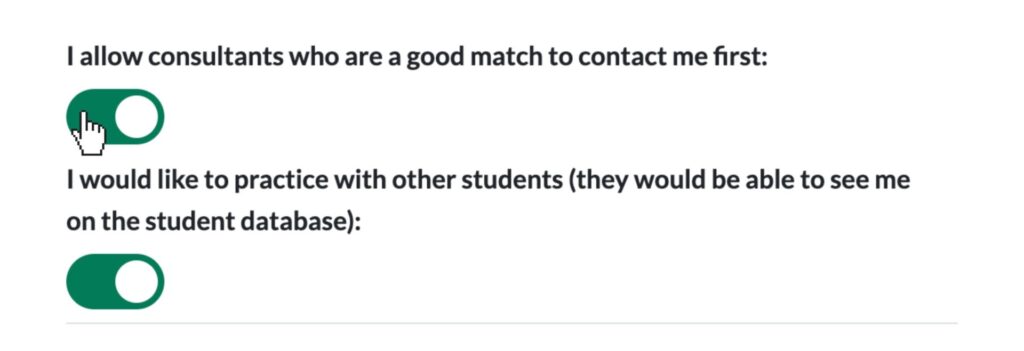
- Choose to show or hide profiles from consultants, other students, or both.
- Update profiles with:
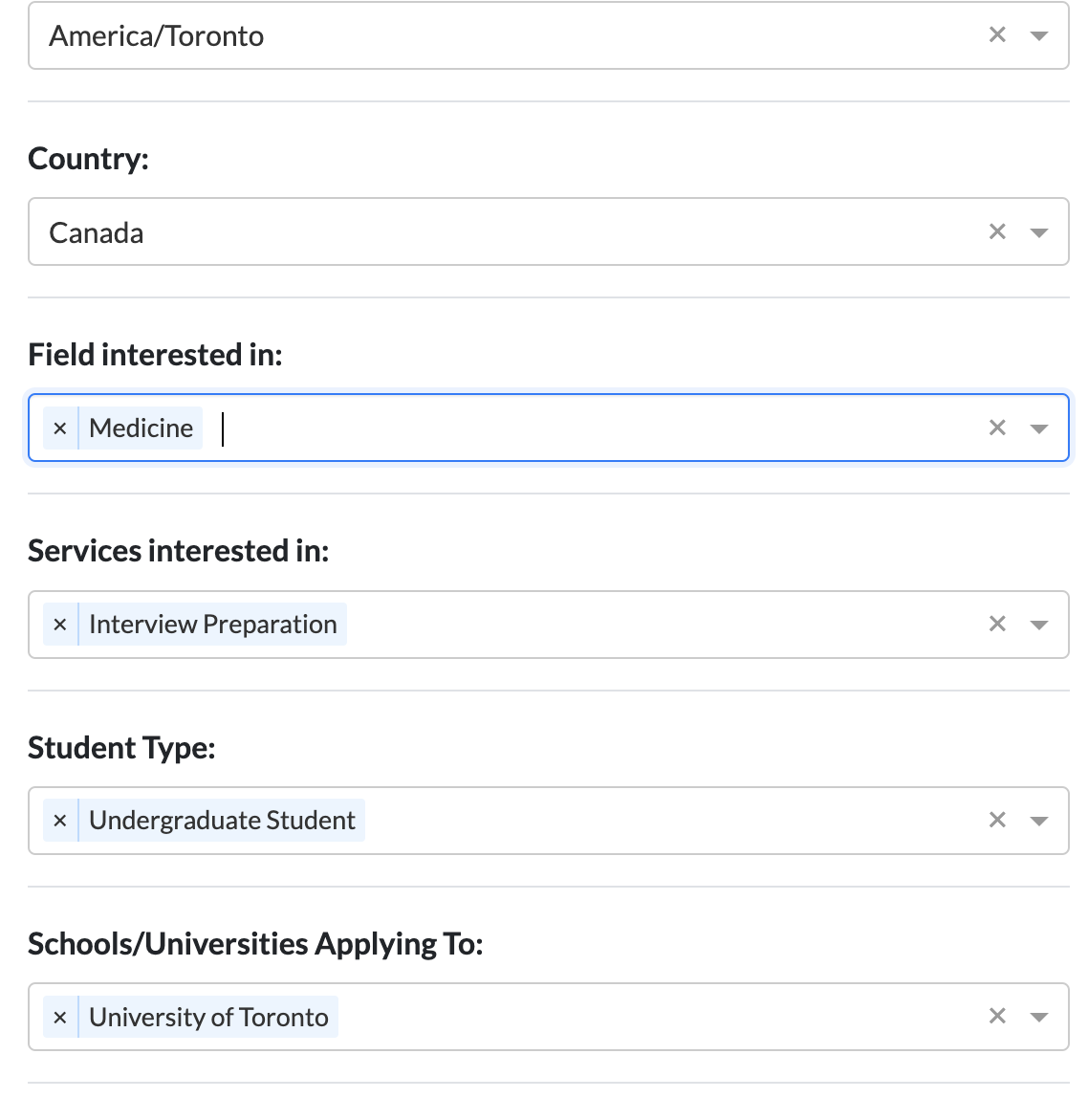
- Fields and services of interest
- Country
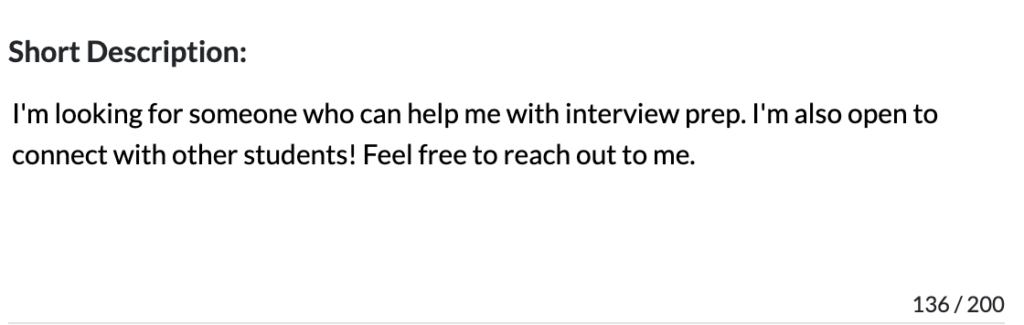
- A short profile description (up to 200 characters) for better matching
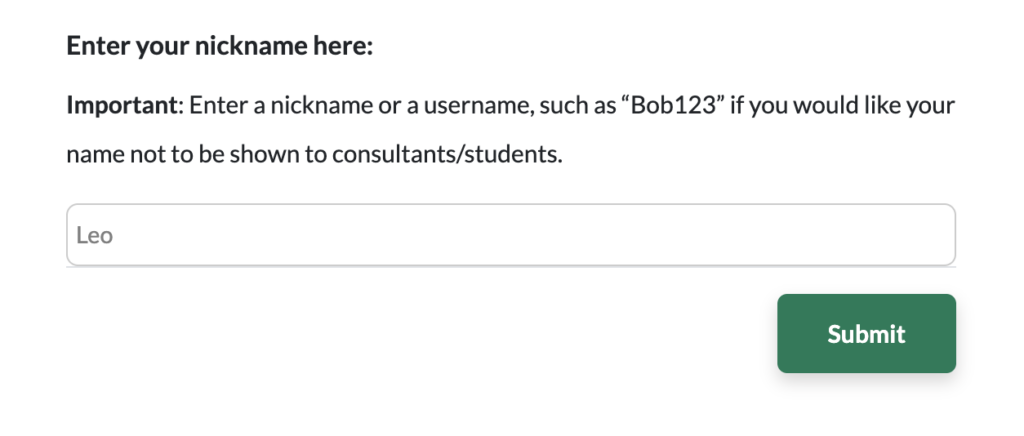
- Opt to use a nickname when appearing to students and consultants
These enhancements ensure privacy, personalization, and more relevant connections.
Existing students can enable this feature using the steps outlined below, while new students will have the option to customize it during sign-up.
- On your profile, access the dashboard.
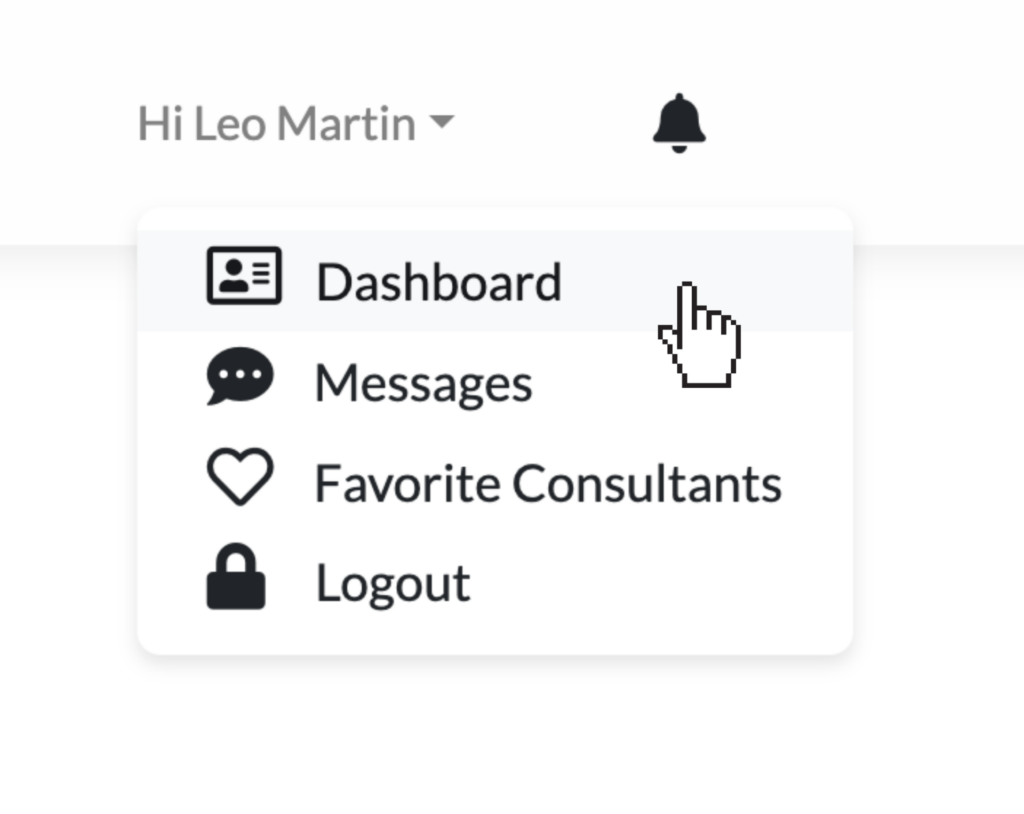
2. In your Dashboard, navigate to the Profile tab.
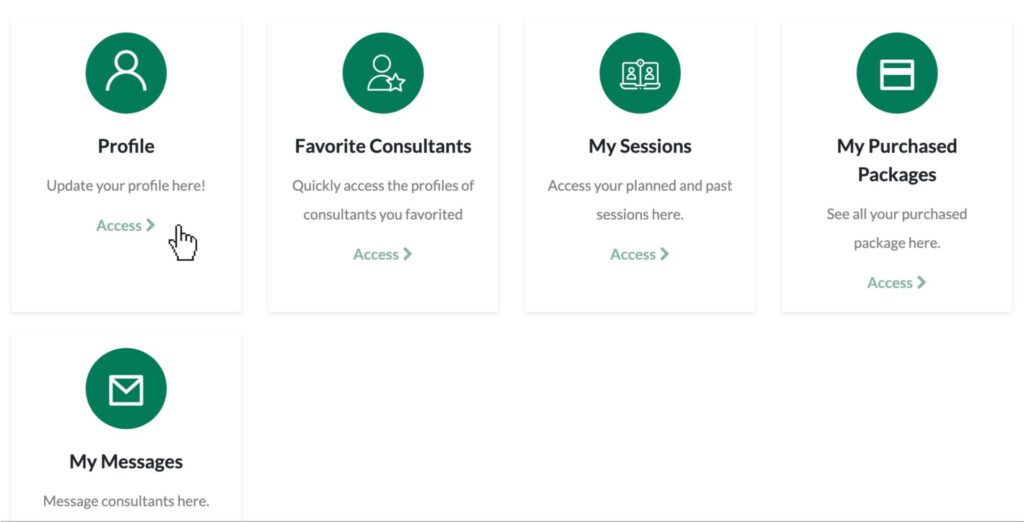
3. Click on Edit Profile
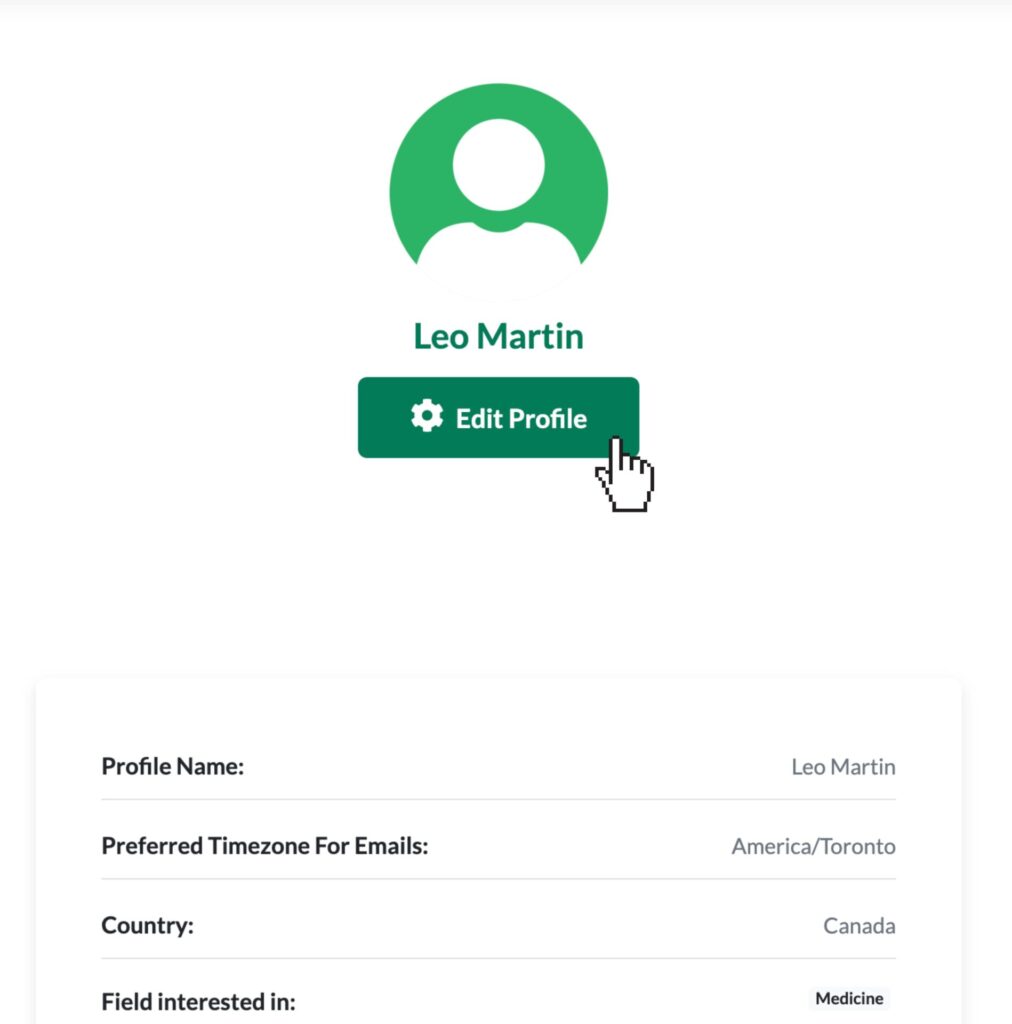
4. Scroll down and toggle the buttons as seen on the image below according to your preference.
5. Fill in the details on your profile for better matching.
6. Add a short description to your profile. This is what other students and consultants will see on the database.
7. Set-up your nickname (this is optional) and don’t forget to click submit to save the changes on your profile.
Peer Feedback and Accountability
- After a practice session, students can rate fellow students.
- These reviews appear directly on student profiles, adding transparency and trust to the community.
- After a consultant–student session, both parties will automatically receive an email and an in-platform message containing a direct link that redirects them to create a review for each other.
This feature encourages professionalism, preparation, and continuous improvement.
Building a Stronger Admissions Community
These updates reflect our belief that preparation is most effective when it’s simple, collaborative, accessible, and student-centered. By combining structured limits, meaningful feedback, and smarter matching, AcceptedTogether is creating a space where students learn from one another and consultants can give back with impact.
We’re excited to see how you use these new tools to practice, connect, and grow together.
Register and Log in today to explore Find A Student and start connecting with purpose.